

Duracell’s M100 Portable Charging Hub
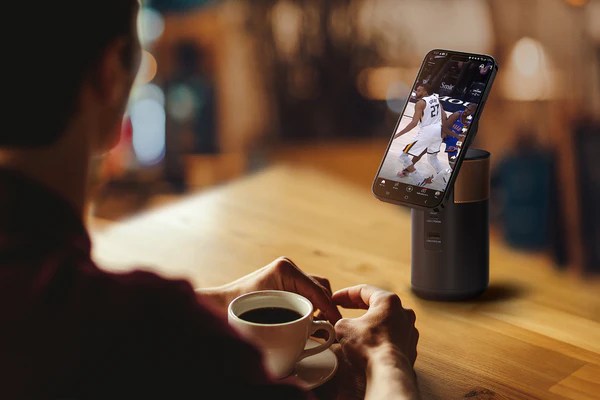
I got to cover the annual tech event Pepcom Holiday Spectacular and tested out so many amazing products. Duracell gifted me the perfect device for the holiday season and for tech geeks. The M100 is perfect for travel, and has many household features such as charging, a phone holder, media center, video-call tool and so much more!
Duracell is helping you stay connected no matter where your celebrations take you this holiday season with our stylish and compact portable power solutions. Designed to keep you powered through all of your festive adventures, Duracell’s M100 Portable Charging Hub easily fits in a stocking and is expertly designed with the compact, lightweight versatility needed to power any celebration.

M100
REGULAR PRICE$129 USD SALE PRICE$89 USD
Shipping calculated at checkout.
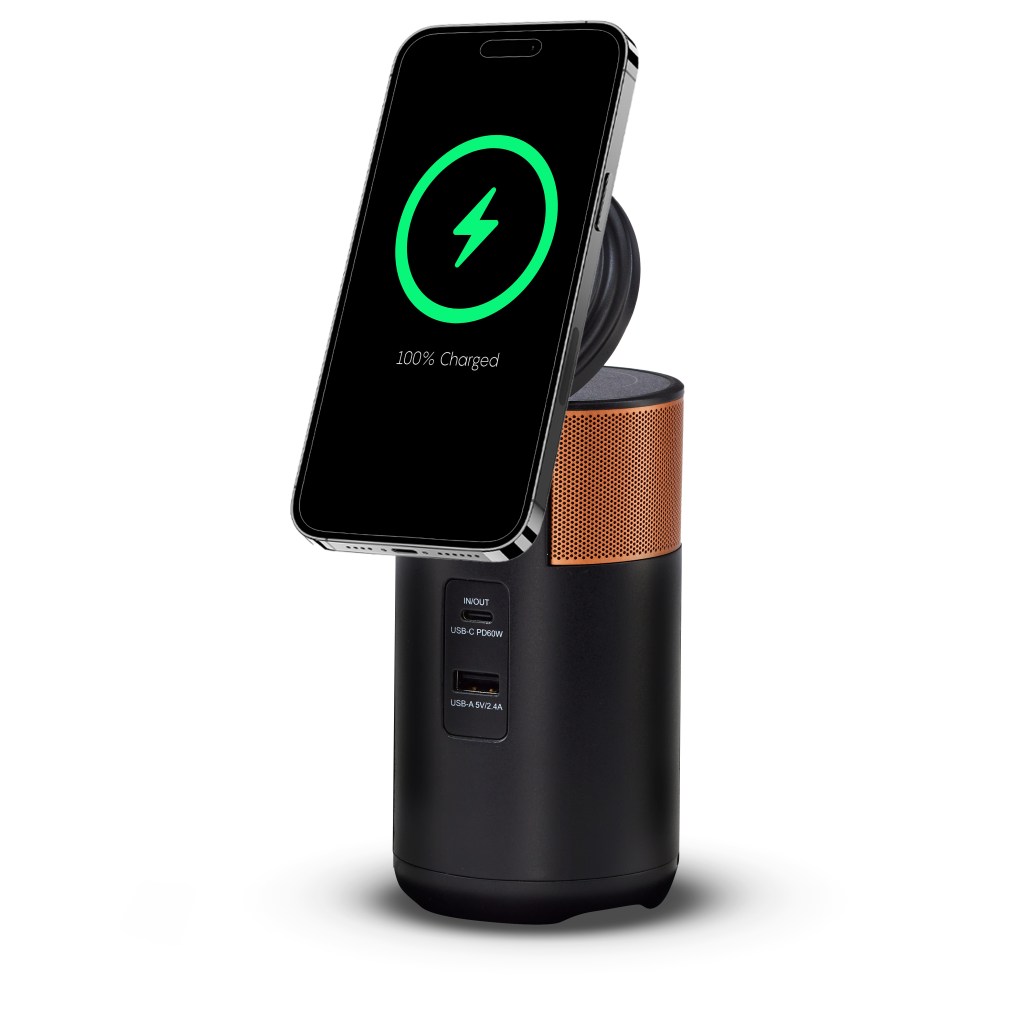
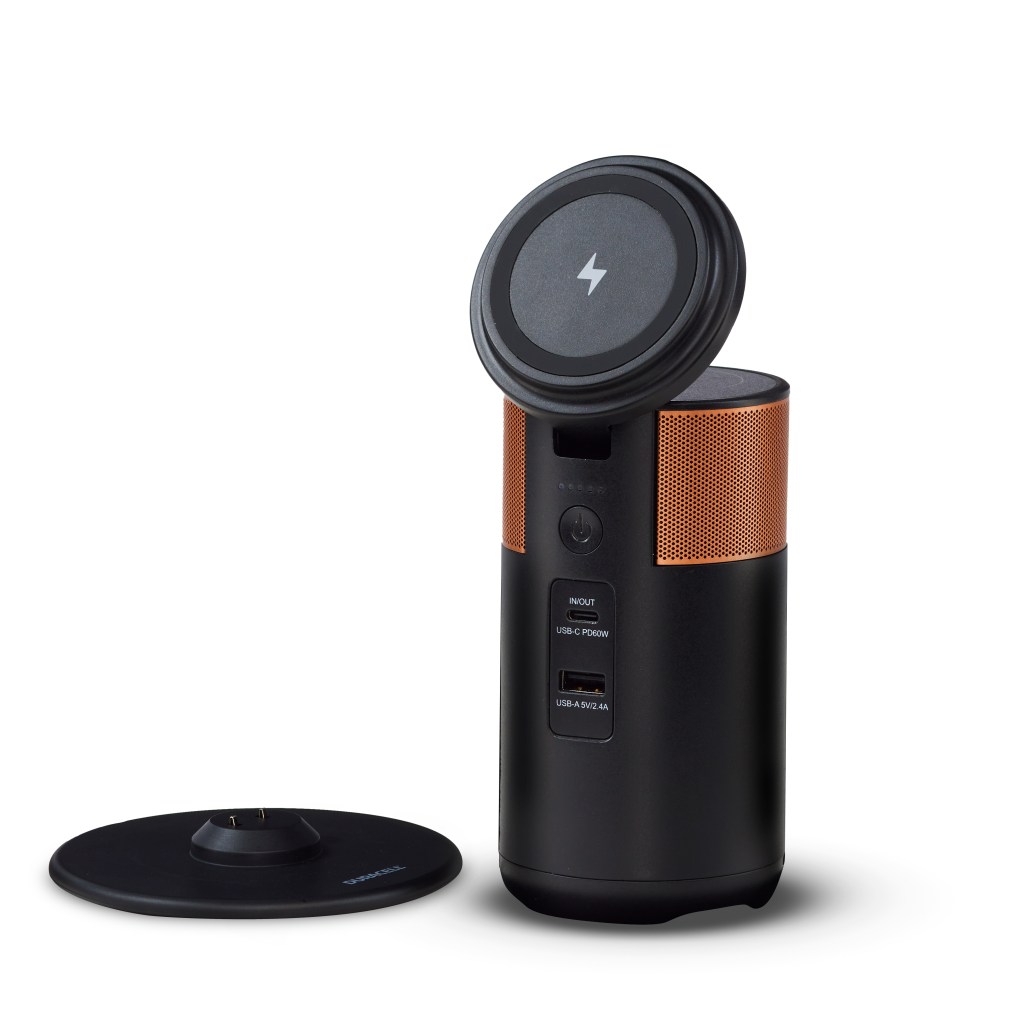
Power phones, tablets, laptops—any small devices you need—for work and life. Lightweight and compact, the M100 features a tiltable phone holder with wireless charging and a second wireless charging platform underneath the lid. It comes with a charging dock ($39 value). You no longer need to be tethered to the wall now that you have portable power and a phone holder for your work and leisure activities. Power the possibilities.
Power, Energy, and Capacity: 92W/55 Wh (15,000 mAh), wireless charging (15W) and 5W
Ports:
1 USB-C port: 60W output / 36W input
1 USB-A port: 12W
Weight and Dimensions
Unit weight: 1.2 pounds
Slim Dock weight: 0.45 pounds
Dimensions: 2.9 inches by 5.8 inches (diameter x height)



- Set up your charging dock by plugging it into the wall.
- Charge your power station by placing it on the charging dock (about 3 hours recharge time) or plugging it directly into a wall outlet using a USB-C cord (about 2.7 hours recharge time).
- You’ll know your device is fully charged when you see 5 lights.
- Plug in any small electronic devices such as your laptop or phone.
- Store your device on the charging dock when at home.
- If not in use for 4 hours, the M100 will automatically shut off. To reactivate the unit, press the on/off button.
Specifications
Power, Energy, and Capacity: 92W/55 Wh (15,000 mAh), wireless charging (15W) and 5W
Ports:
- 1 USB-C port: 60W output / 36W input
- 1 USB-A port: 12W
Weight and Dimensions
- Unit weight: 1.2 pounds
- Slim Dock weight: 0.45 pounds
- Dimensions: 2.9 inches by 5.8 inches (diameter x height)
Get started
- Set up your charging dock by plugging it into the wall.
- Charge your power station by placing it on the charging dock (about 3 hours recharge time) or plugging it directly into a wall outlet using a USB-C cord (about 2.7 hours recharge time).
- You’ll know your device is fully charged when you see 5 lights.
- Plug in any small electronic devices such as your laptop or phone.
- Store your device on the charging dock when at home.
- If not in use for 4 hours, the M100 will automatically shut off. To reactivate the unit, press the on/off button.
Notes on Wireless Charging
- Only phones with built-in wireless charging functionality will charge on the lid.
- Phone cases may affect wirelessly charging. If your phone does not charge, try removing your phone case.
- Some phones may have wireless charge capability, but no magnetic ring. These phones will charge but will not stick to the tiltable lid.
- If your phone does not come equipped with an internal magnetic ring, external rings are available for purchase from other retailers.
Notes on Air Travel
- The M100 can be brought onboard aircraft in your carry-on baggage. You may notice an orange shipping label that states “Cargo Aircraft Only”. This relates to the bulk shipment of lithium-ion batteries. It does not apply to carry-on baggage.
- Bring no more than 1 M100 per carry-on bag. For more information, please see the TSA rules on lithium batteries. Keep in mind that the M100 has 55 watt-hours.
- The M100 should not be placed in checked luggage.


 Gotham Geek Girl